Fritz 20 Handbook
Keyboard input for commentary symbols
In order to enter chess commentary symbols into your text annotations, you must use special keyboard shortcuts.
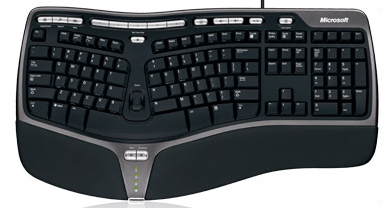
If they do not work properly. it means that the TrueType font “Figurine...” has not been installed correctly. In that case you may not be able to see the left-most column in the table below.
Char. | Keyboard | Meaning |
¢ | Ctrl-K | King |
£ | Ctrl-Q | Queen |
¤ | Ctrl-N | Knight |
¥ | Ctrl-B | Biahop |
¦ | Ctrl-R | Rook |
§ | Ctrl-P | Pawn |
‚ | Ctrl-A | with attack |
ƒ | Ctrl-I | with initiative |
„ | Shift-Ctrl-C | with counterplay |
… | Ctrl-Alt-I | with the idea... |
† | Ctrl-S | space advantage |
“ | Ctrl-Z | time, time trouble |
‰ | Ctrl-Alt-D | development advantage |
‘ | Ctrl-L | file |
’ | Shift-Ctrl-D | diagonal |
‡ | Ctrl-Alt-Z | zugzwang |
” | Ctrl-Alt-C | centre |
× | Shift-Ctrl-W | weak point |
™ | Ctrl-O | only move |
ª | Ctrl-W | with |
º | Ctrl-Alt-W | without |
« | Ctrl-Alt-Q | queenside |
» | Ctrl-Alt-K | kingside |
¬ | Ctrl-E | endgame |
Ctrl-Alt-P | pair of bishops | |
® | Ctrl-Alt-O | bishops of opposite colour |
¯ | Ctrl-Alt-E | bishops of same colour |
° | Ctrl-M | with compensation |
± | Ctrl-1 | White is better |
² | Ctrl-2 | White is slightly better |
÷ | Ctrl-3 | unclear |
³ | Ctrl-4 | Black is slightly better |
µ | Ctrl-5 | Black is better |
¹ | Ctrl-Alt-B | better is |
½ | Ctrl-Alt-R | draw |
þ | Shift-Ctrl-P | passed pawn |
• | Ctrl-. | isolated pawn |