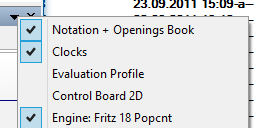
The program has additional icons in the title bar of the important window panes.
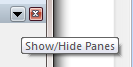
Clicking on the X symbol closes the window pane.
Clicking on the pin icon toggles auto-hide mode for the pane: when pinned, the pane stays open; when unpinned, the pane slides out and only re-appears when you hover over its tab on the edge of the window.
Clicking on the arrow opens a small menu. This menu allows the user to quickly hide or display window panes if and when they are needed.