The program is very well suited to entering game notation manually and saving the games. This is frequently made use of for saving one’s own games or for tournament organisers who want to document the games of their tournament in a database.
One typical problem encountered when entering games from scoresheets: suddenly a move is found to be illegal because a previous move had not been entered correctly, e.g. because the notation was very difficult to read.
Fritz now offers a tool to correct these mistaken entries.
The relevant function is reached via the Home ribbon, in the "Overwrite" panel, by clicking the "Game Entry" button. The dialog that opens is titled “Resolve Score Sheet Problem”.
In this dialog you can edit every move and the program carries out a legality check for the moves that follow.
The user can enter or remove moves directly on the chess board displayed.
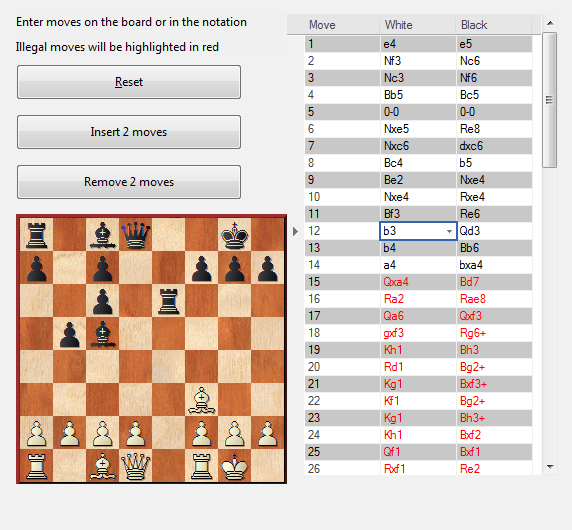
You will spot at a glance whenever the correction of a wrongly entered move repairs the remainder of the notation. Any illegal moves which result from it are displayed in red.
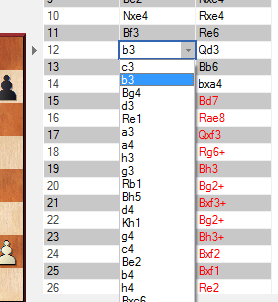
For every position the drop list displays all legal moves, with that list being sorted according to the tactical plausibility of each move.
Additionally, the user has the option to insert complete pairs of moves.