In addition to classic forms of commentary such as variations and text, the program offers the commentary elements described below.
Evaluation profile
A further useful orientation aid while replaying is the evaluation profile generated by the analysis and integrated into the game. The evaluation profile shows graphically the chess engine's position evaluations along the course of the game. From the evaluation profile below the notation, you can immediately see during replay where the game "tipped".
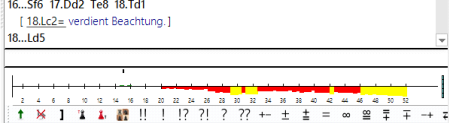
By clicking on a point in the evaluation profile, the corresponding position is loaded and displayed directly in the board window. With just a few clicks, you can therefore navigate directly during replay to the decisive moves and the critical phase of the game.
Graphical commentary
In the notation, you will often find a coloured marker.
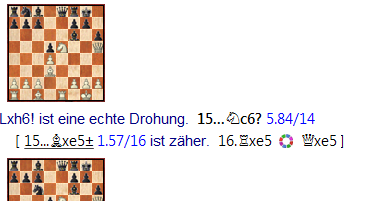
What does this circle mean? This symbol indicates within the notation that graphical commentaries have been inserted by the tactical analysis.
With it, the program gives hints about possible manoeuvres or force interactions on the board.
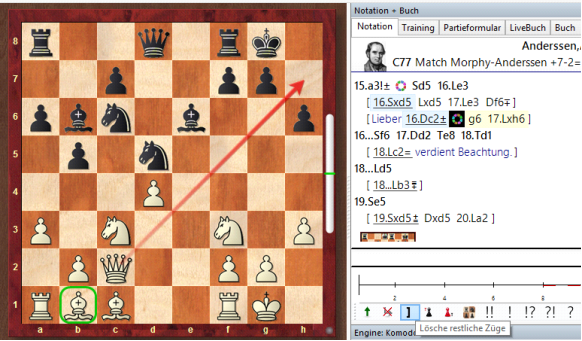
A click on this symbol immediately shows the corresponding graphical commentaries on the chessboard.
Diagrams – Training questions
The program inserts diagrams at critical moments of the game into the notation.
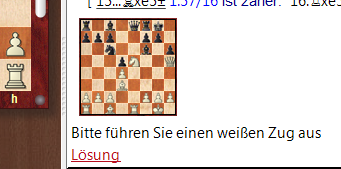
This encourages you to find the best continuation yourself while replaying the game. If you get stuck, a click on "Solution" will help you.