Move entry for the notation has now been considerably simplified. The variation dialog appears less often, and when you enter an alternative move in the notation a variation is now almost always created directly - without the variation dialog. Only on the last move does the variation dialog always appear, since experience shows that input errors are frequently corrected at this point.
Tip: via Start - Undo you can undo the changes you have made.
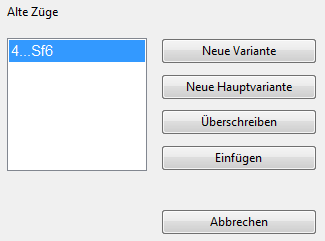
You start the variation dialog by holding down the CTRL key during move entry.
New variation - the move entered becomes the first move of a variation.
New main variation - the move entered becomes the main variation. The previous main variation then appears as a variation.
Overwrite - all following moves and variations are deleted.
Insert - all following moves and variations that remain legal after the move entered are preserved.