Suppose you have two databases whose contents you want to manage in a complete database. If you want to copy the games of one database to another database, proceed as follows:
• Go to the database window and open database 1, into which you want to copy the games of database 2.
• Select under the menu item Start – Insert the entry Append games.
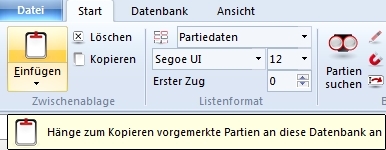
• The program now needs to know which database is to be appended. Choose the database to be copied in the file dialog.
• Confirm with OK. The games will now be appended to the list of database 1.
Tip: Under the File menu you will find the entry Current databases. The list contains the recently opened databases.
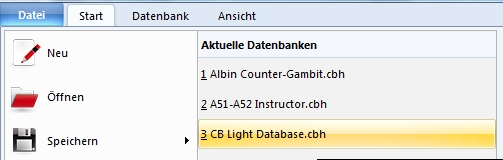
With this function you can quickly switch between the recently edited databases without having to open the file selection dialog each time.