Generate EPD string
To generate an EPD string of the current position, proceed as follows:
• Switch to the position setup of the program, e.g. by pressing the "S" key.
• There you will find, among other things, the "Copy FEN" switch. With this you copy the EPD string for the current board position to the clipboard.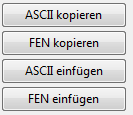
• Leave the position setup WITHOUT clicking the OK button.
The position is now in FEN or EPD format in the clipboard and can be transferred to another application, e.g. to your email program.
There is another way to copy an EPD string from the program to the clipboard. Click once with the right mouse button in the analysis window while the program is calculating. In the analysis window's context menu, you will find the entry "Copy to clipboard". If you now switch, for example, to your email program and choose the function "Paste", the result will look like this:
Flohr – Thomas
3r1rk1/pq3pp1/1p1bpn1p/8/2PN3Q/1P6/PB3PPP/3RR1K1 w - - 0 1 Analysis by Fritz:
1.Qxf6-- gxf6
-+ (-2.94) Depth: 1/3 00:00:00
-+ (-5.09) Depth: 1/3 00:00:00
(Schreiner, Trier 01.04.2001)
The program not only copies the current position in the form of an EPD string to the clipboard but at the same time adds important additional information! In addition to pure analysis results such as consumed thinking time, search depth and main variation, the recipient immediately knows from which game the position originates (Flohr – Thomas) and who inserted the position.
This function is ideal for integrating the program's evaluations in discussions with chess friends or in chess forums.
See also: EPD string paste into the program.
Import EPD into CBH database
In the program's database window, the option is available to insert positions in EPD format into a CBH database. To do this, proceed as follows:
• Switch to the database window of the program.
• With CTRL-X or in the menu NEW – Database, create a new database.
• In the Edit menu, start the function Append EPD ....
• A file dialog appears. Choose the EPD file with the positions to be imported and confirm with OK.
The positions of the EPD file are converted into the CBH format.