For the solution of forced mate positions, e.g. chess problems, a specialised mate engine is included in the program.
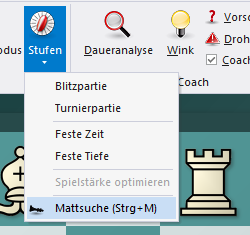
After you have loaded the corresponding position, activate the mate search with CTRL-M or via Start - Levels - Mate search.
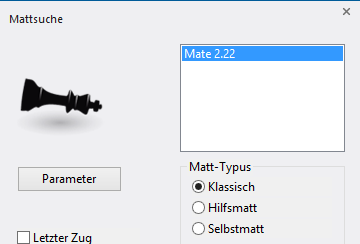
You can configure the mate engine by clicking the Parameters button.
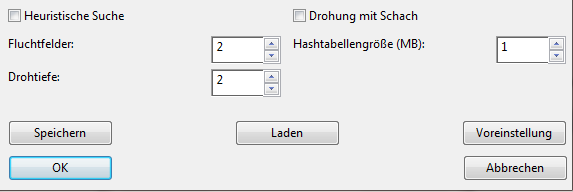
You can influence the following parameters:
The option Heuristic search activates the following parameters:
Escape squares: Only moves are examined which leave the defending king at most this number of squares. Default is 2.
Threat depth: Only moves are examined which threaten mate, namely in at most this number of moves. Default is 2.
Threat with check: See threat depth. In addition, the mate threat must be executed with checking moves.
Note that these parameters are only available for the classical mate. In the selfmate the escape squares are still available. In the helpmate the options have no effect.