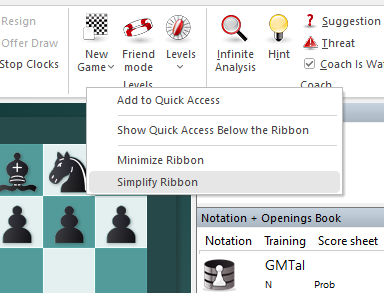
The menu ribbons can be adjusted to your taste with two independent toggles available in the right-click context menu of the ribbon:
Minimize Ribbon – hides the icon area, leaving only the tab headers visible. Click a tab header to temporarily expand the ribbon. Toggle the entry again to keep the ribbon expanded permanently.
Simplify Ribbon – switches to a more compact ribbon style with smaller icons, useful on screens with limited vertical space.
When both toggles are off, the ribbon is in its standard (full) display.