You want to delete certain games from a database. To do this, proceed as follows:
• Switch to the database window and open the database.
In the game list, mark the games to be deleted. CTRL-click marks individual games. You can mark blockwise entries in the list by first setting the cursor on the first entry and then clicking the last entry with the Shift key held down. Right-click – Edit – Select all marks all entries in the game list. You recognise marked entries by all of them being highlighted dark.
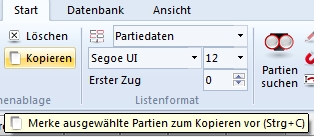
• Start – Delete or Right-click – Edit – Delete marks the games in the database. You may now wonder why the entries are shown inverted and are still present. There is a good reason. You now have the possibility to undo a delete action. If you mark inverted entries once more and press the Del key, the marking as a deleted game is removed again.
• If you now want to delete the games definitively, choose Database – Database functions – Delete games permanently.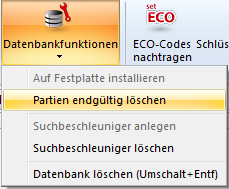
The games are only now completely removed from the database.